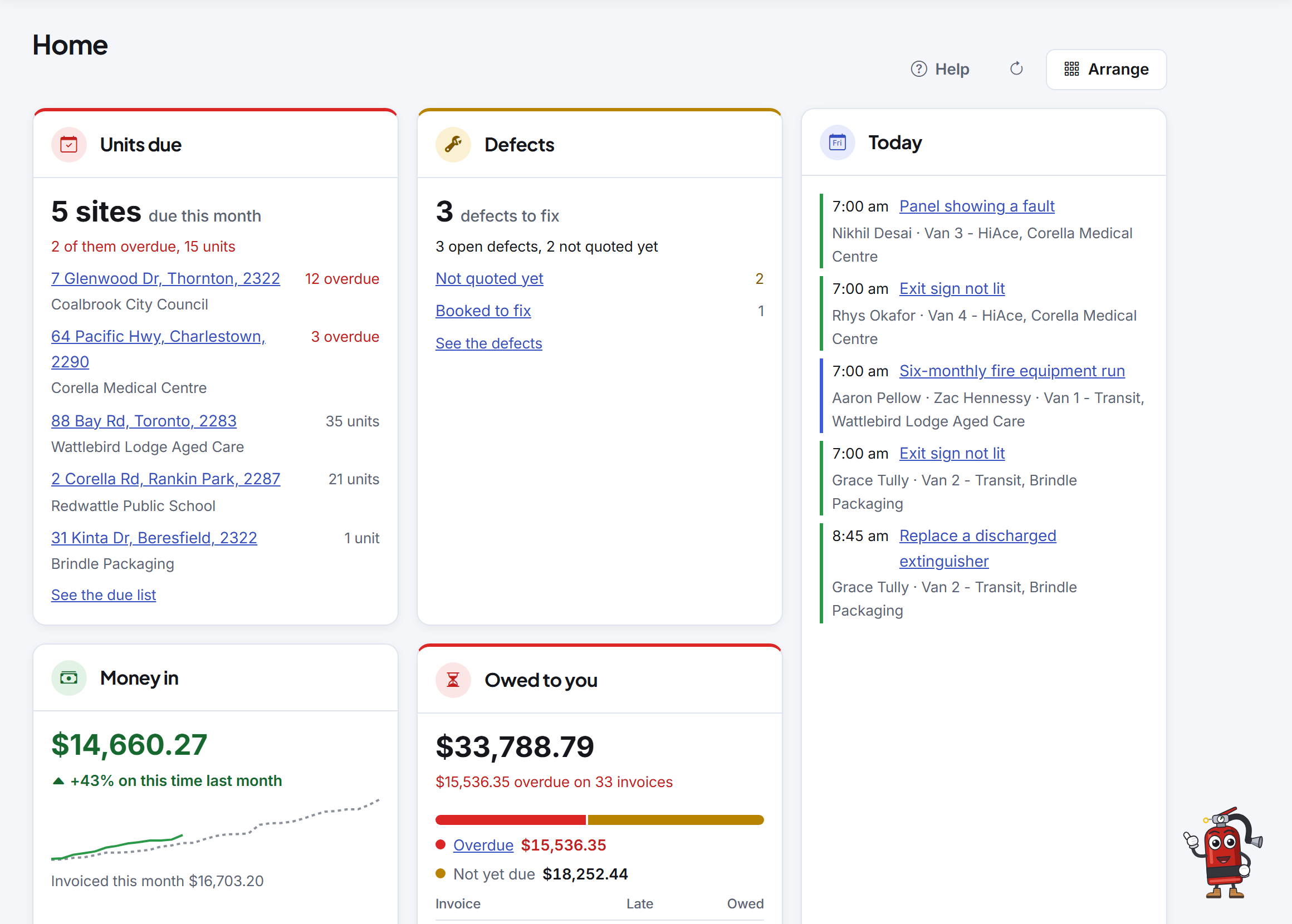
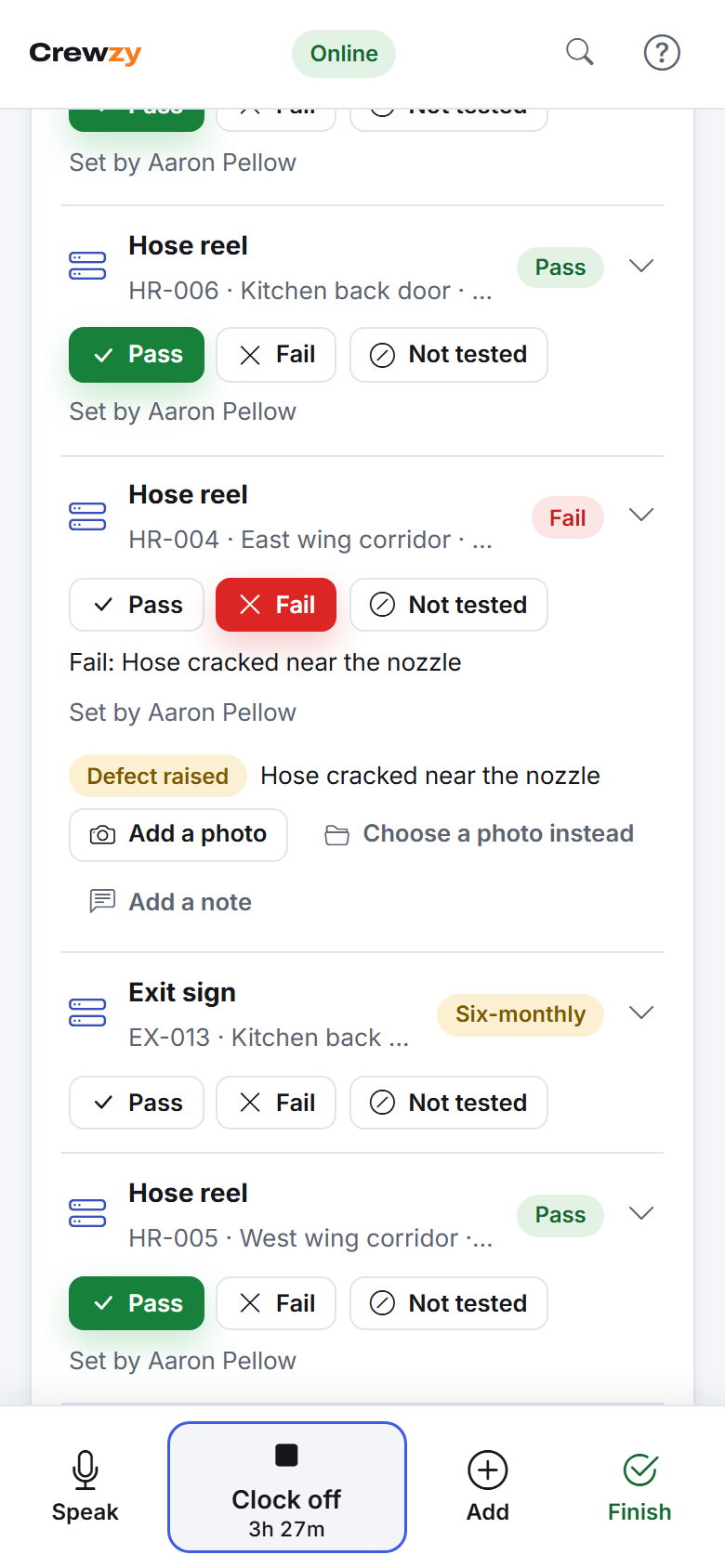
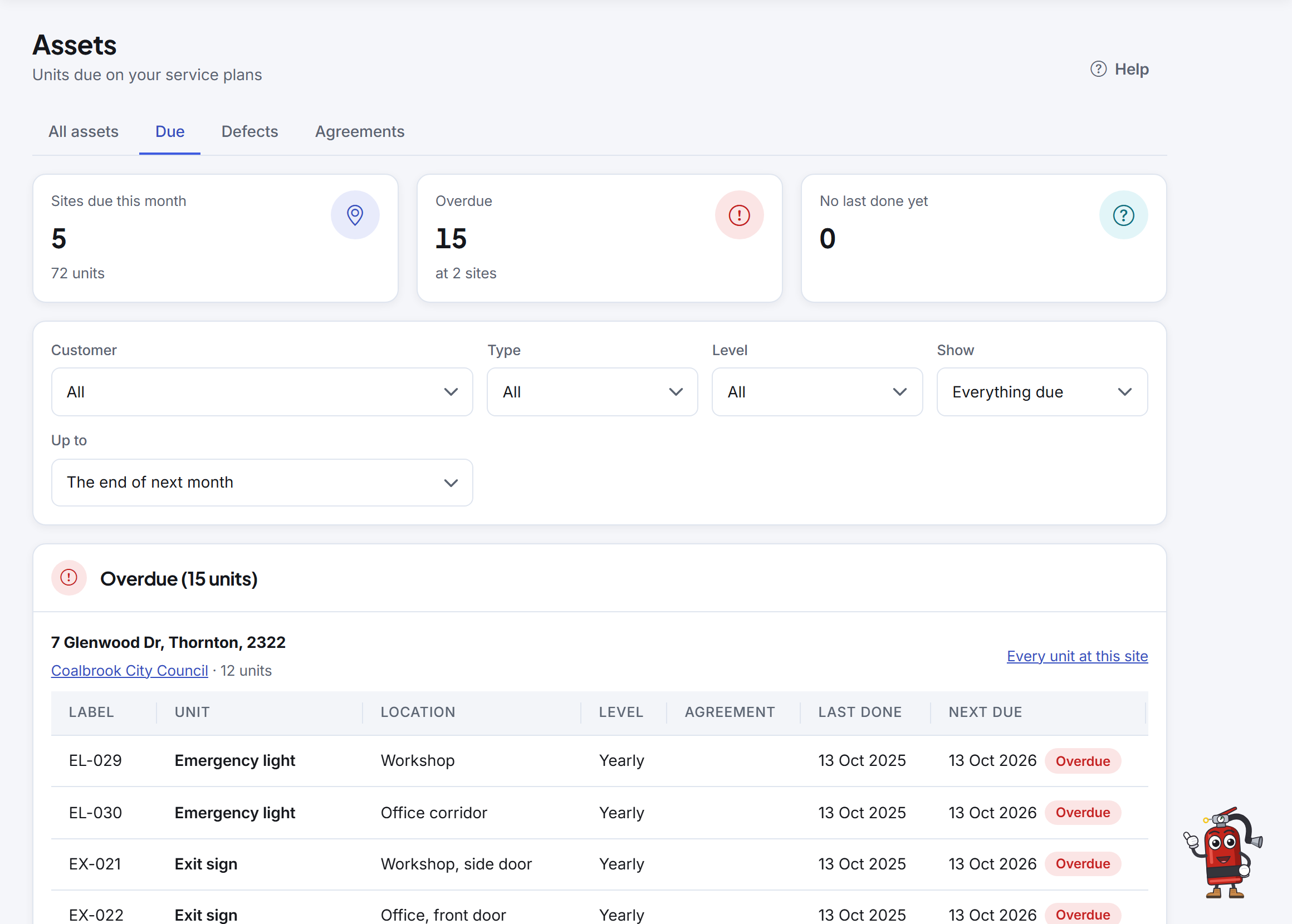
Your register of units at every site, what is due, results on the phone on the run, defects quoted and fixed, and a report of the work you did. The quotes, jobs, crew and invoices are in the same app, one price for the business with up to 20 active crew included.
30 days free with everything included, and no card needed. Up to 20 active crew a month are included on every plan.
From the register to the report
Every unit at every site
Bring in your register from a spreadsheet. Each row is matched to the site and checked before anything is saved.
Starter types for extinguishers, blankets, hose reels, hydrants, pumps, detection and alarm panels, detectors, warning systems, exit and emergency lights and fire doors, each with its own fields.
Add a floor of units at once with their label numbers, or one at a time on the phone with "Same as last".
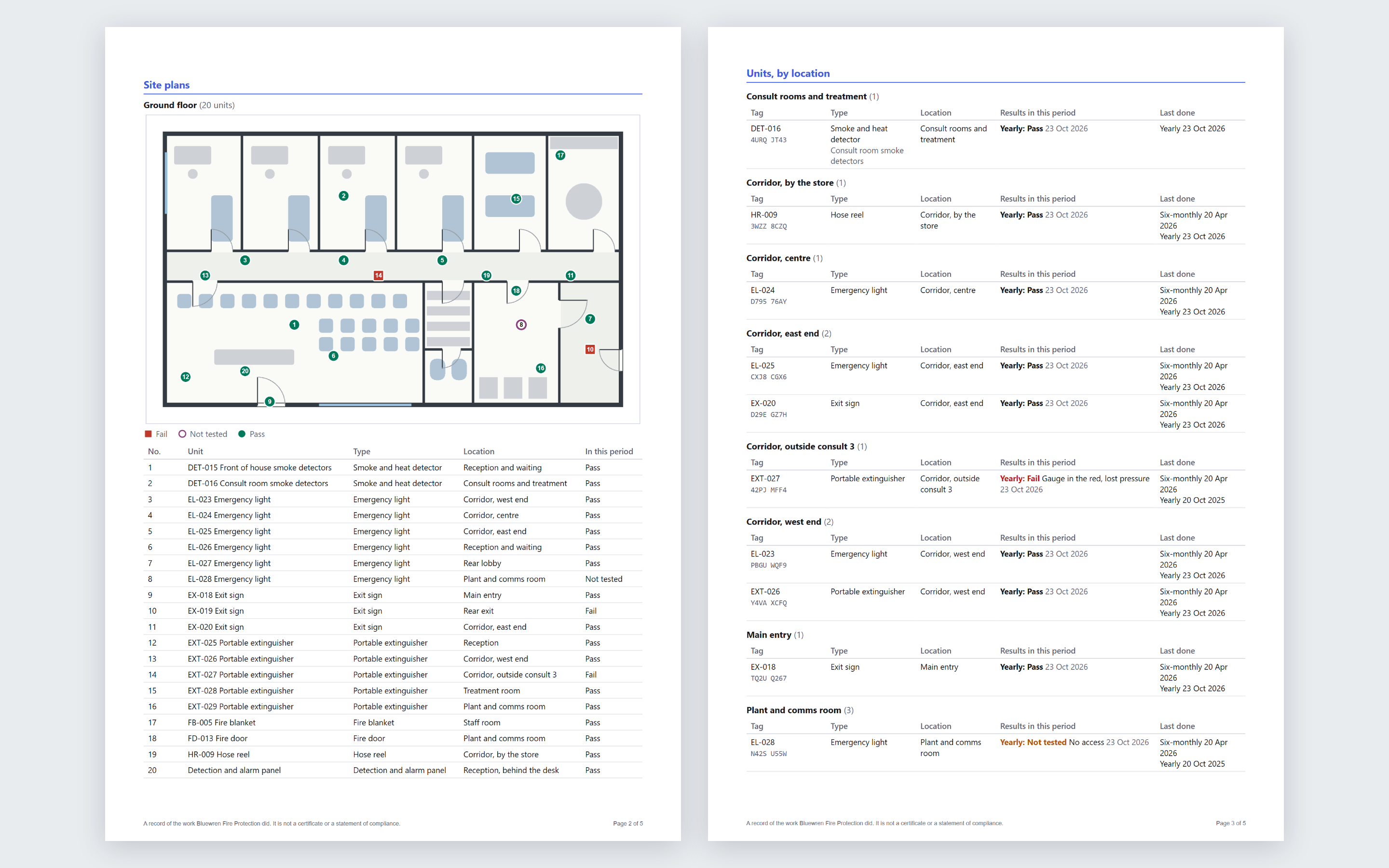
A PDF of the work you did at a site, for the last visit or between two dates, with your logo: each unit, its results, what was not tested and why, and the defects.
Your customers see their units, defects and quotes in their portal.
Service agreements say which sites and levels you look after, with renewals you confirm.
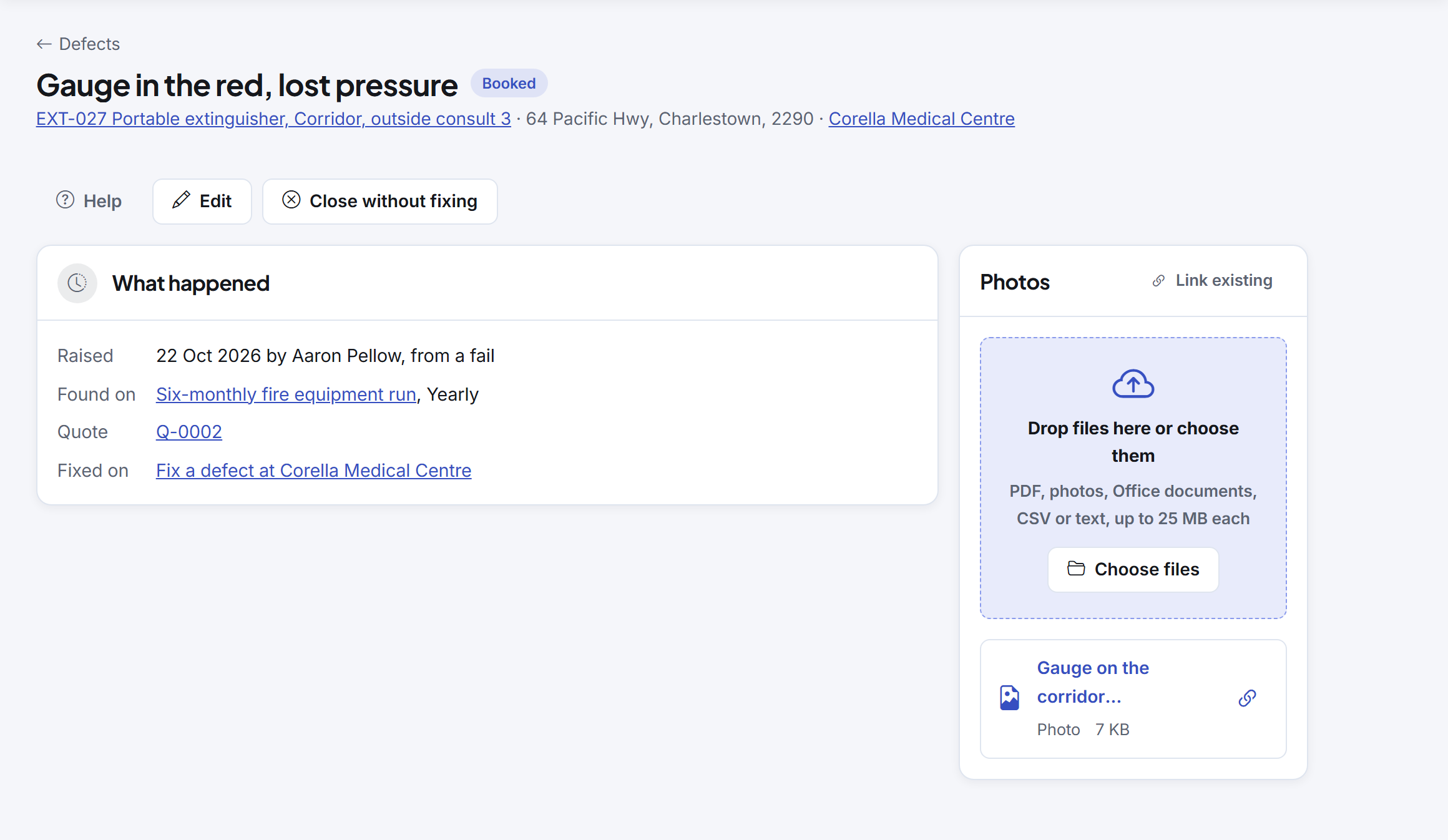
Every open defect, whether it has been quoted yet and whether the fix is booked. Each one links to the run it was found on, the quote and the job that fixed it.
Site plans with every unit pinned
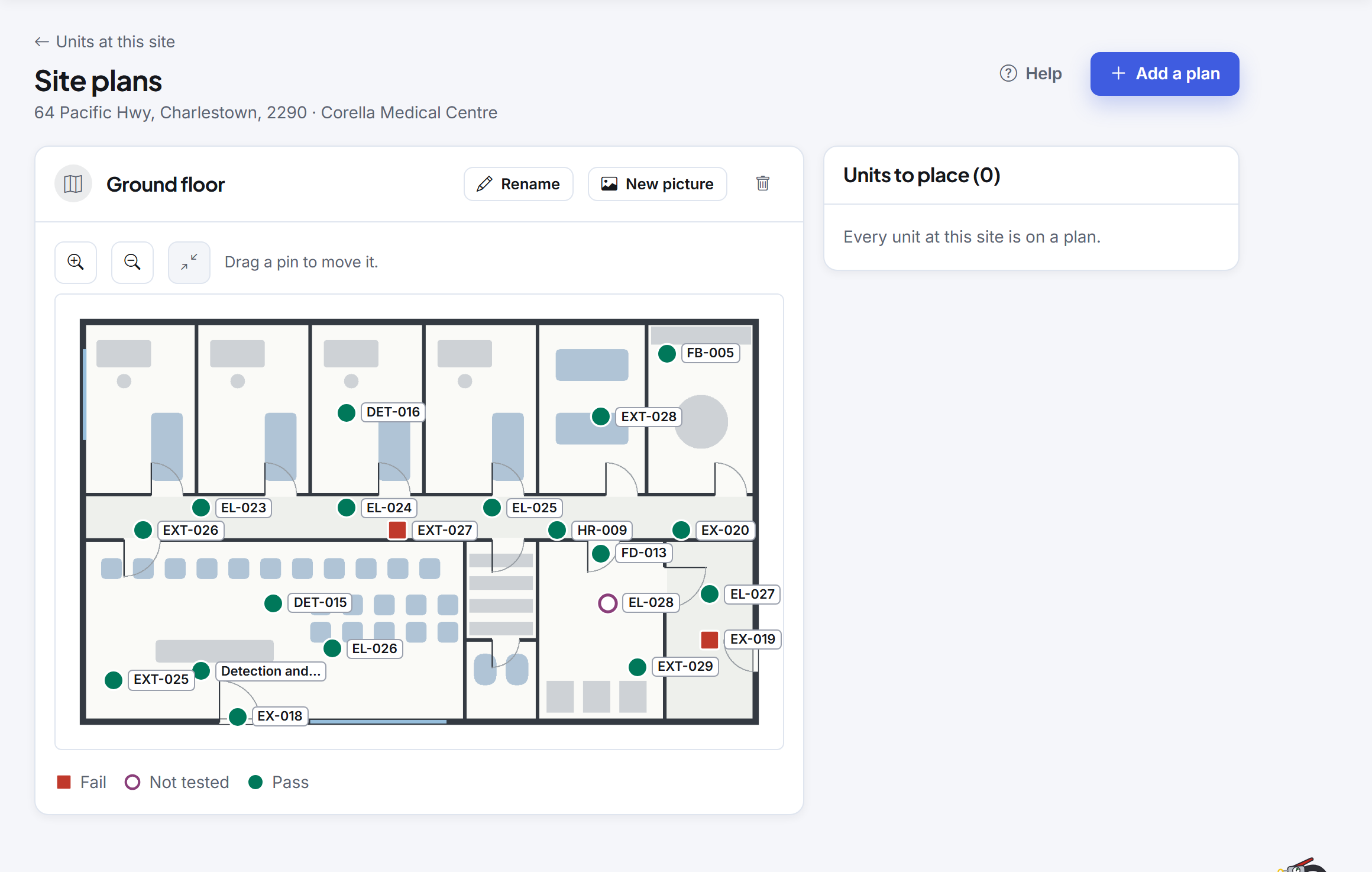
Upload a picture of each floor and drag the units onto it. The pins show the latest result, and the plans go in the site report.
A site plan shows where your units are. It is not an evacuation plan.
A report of the work you did
One PDF for the customer with your logo: the site plans, each unit by location or type, its results in the period and when each level was last done.
Every page says it is a record of the work your business did, and not a certificate or a statement of compliance. Crewzy does not issue those.
Meet Pinny
Fire businesses get Pinny, the assistant who does the paperwork with you. Ask about the units at a site, what is booked tomorrow or who owes you money.
Pinny answers from your records and leaves the rules for your trade to you and the standards you work to.
On the Unlimited plan
The register, service plans, results, defects, labels, site plans, site reports and agreements are on Unlimited. The free trial has all of it.
Free 30-minute setup call, and we'll bring your data across
From Tradify, Fergus, ServiceM8 or a spreadsheet. On the call we set up your business, price list and crew with you, and answer your questions.
Export your customers, sites, jobs, price list and unpaid invoices as CSV files and we bring them in with you. Unpaid invoices come across as the balance still owed. Photos, notes and forms do not export in bulk from most apps, so they stay behind.
To book, email hello@getcrewzy.com with a day and time that suits and the app you are moving from.
Give it a go on your next job
30 days free with everything included, and no card needed. Up to 20 active crew a month are included on every plan.
Free 30-minute setup call, and we'll bring your data across from Tradify, Fergus, ServiceM8 or a spreadsheet.