Features
Everything from the first call to paid
Quotes, jobs, the crew, the money and the books, in one app that works in the office and on site.
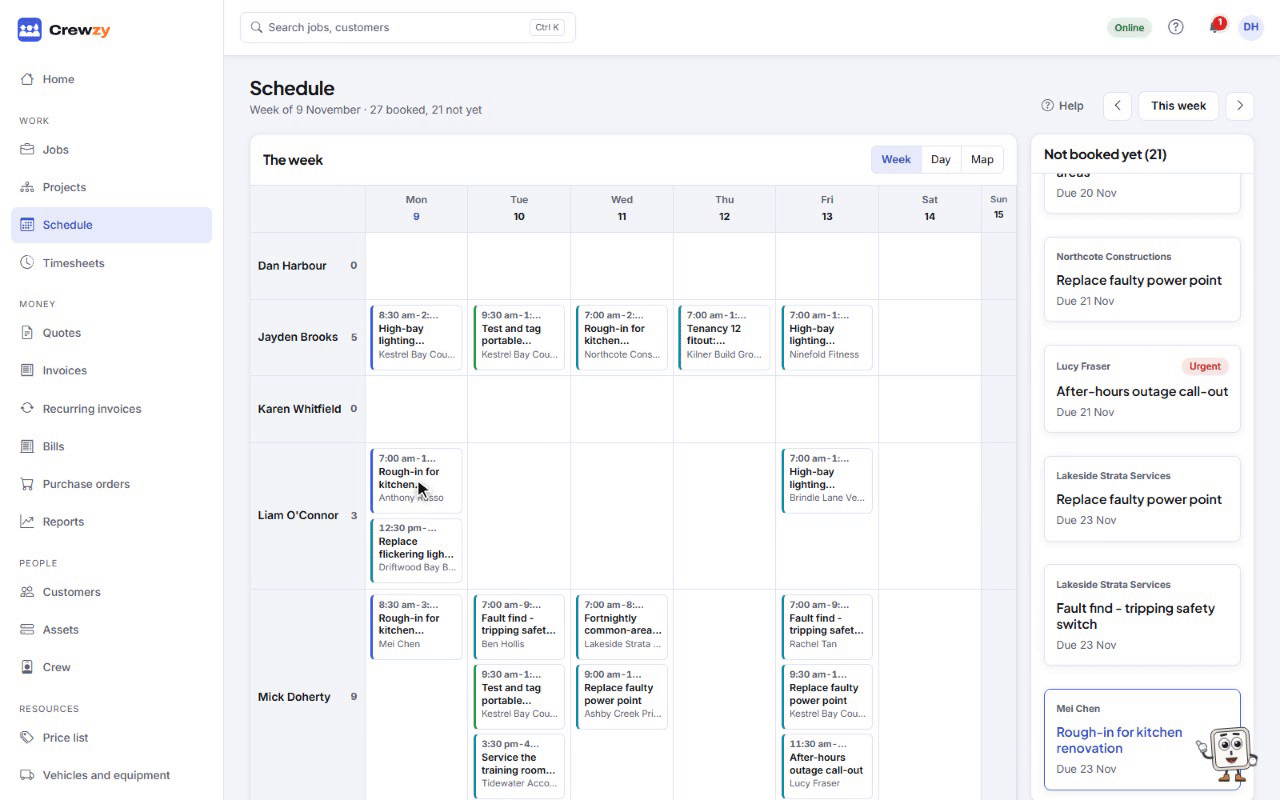
Jobs and the schedule
Every job from first call to paid, on a board, a list or the week ahead.
- Drag jobs across the board as they move, or work from a list with search and filters.
- Book crew and vehicles on the schedule; clashes are flagged before they happen.
- Everyone's bookings can show in their own Google, Apple or Outlook calendar.
- Repeating jobs for services that come round every month or year.
- An enquiry form for your own website turns each enquiry into a new job, with the customer and their photos.
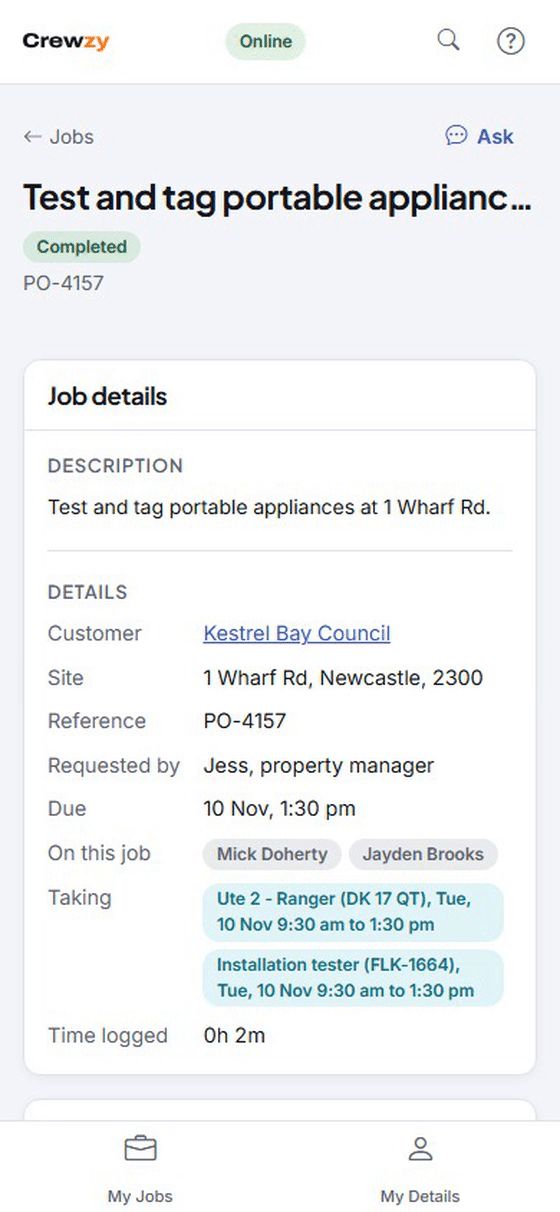
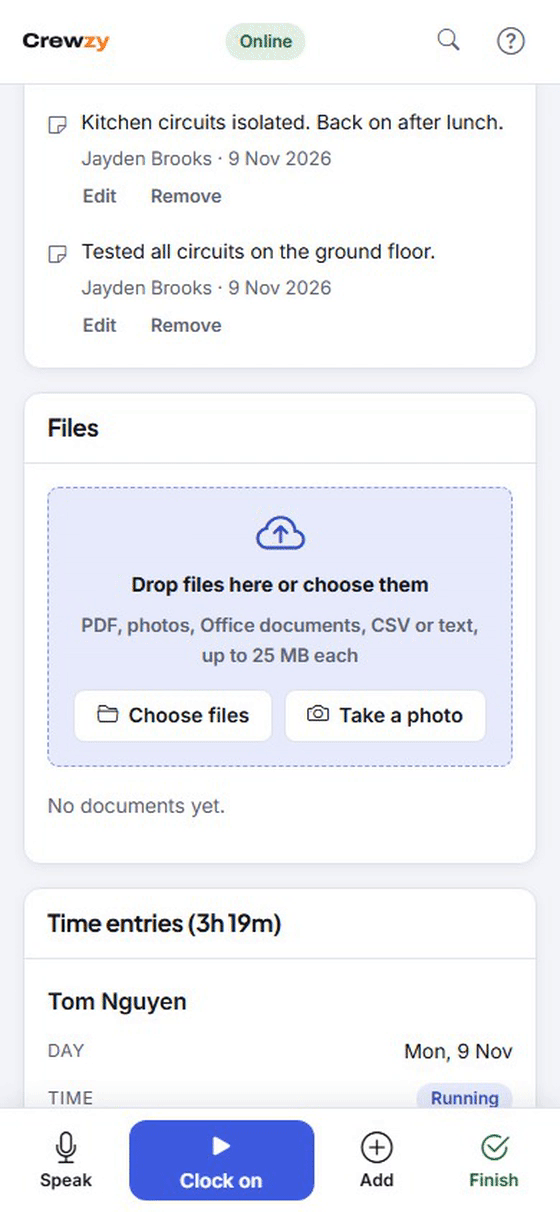
The crew app, offline
Today's jobs, clock on and off, photos, signatures and job sheets, with or without signal.
- Installs from the browser on Android and iPhone; nothing to download from a store.
- Works in basements and out bush, and catches up on its own when back in range.
- Speak the job sheet instead of typing it with dirty hands when there is signal.
- Shared tablets for the van or the workshop: each of the crew taps their name and puts in their own PIN, and everything they do is recorded as theirs.
- Apprentices without the app on their own phone work on the shared tablet, with no email address or login needed.
Timesheets ready for payroll
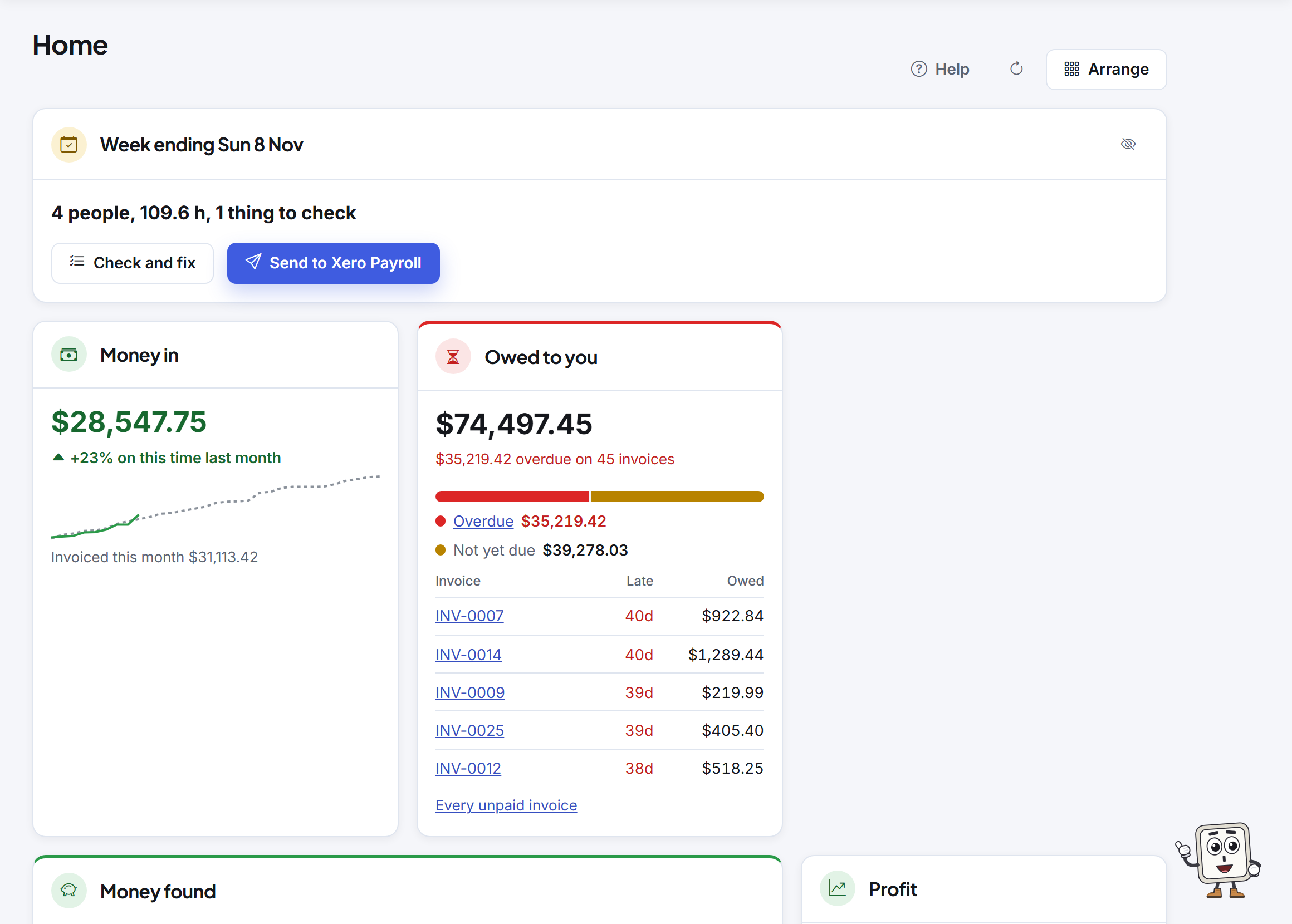
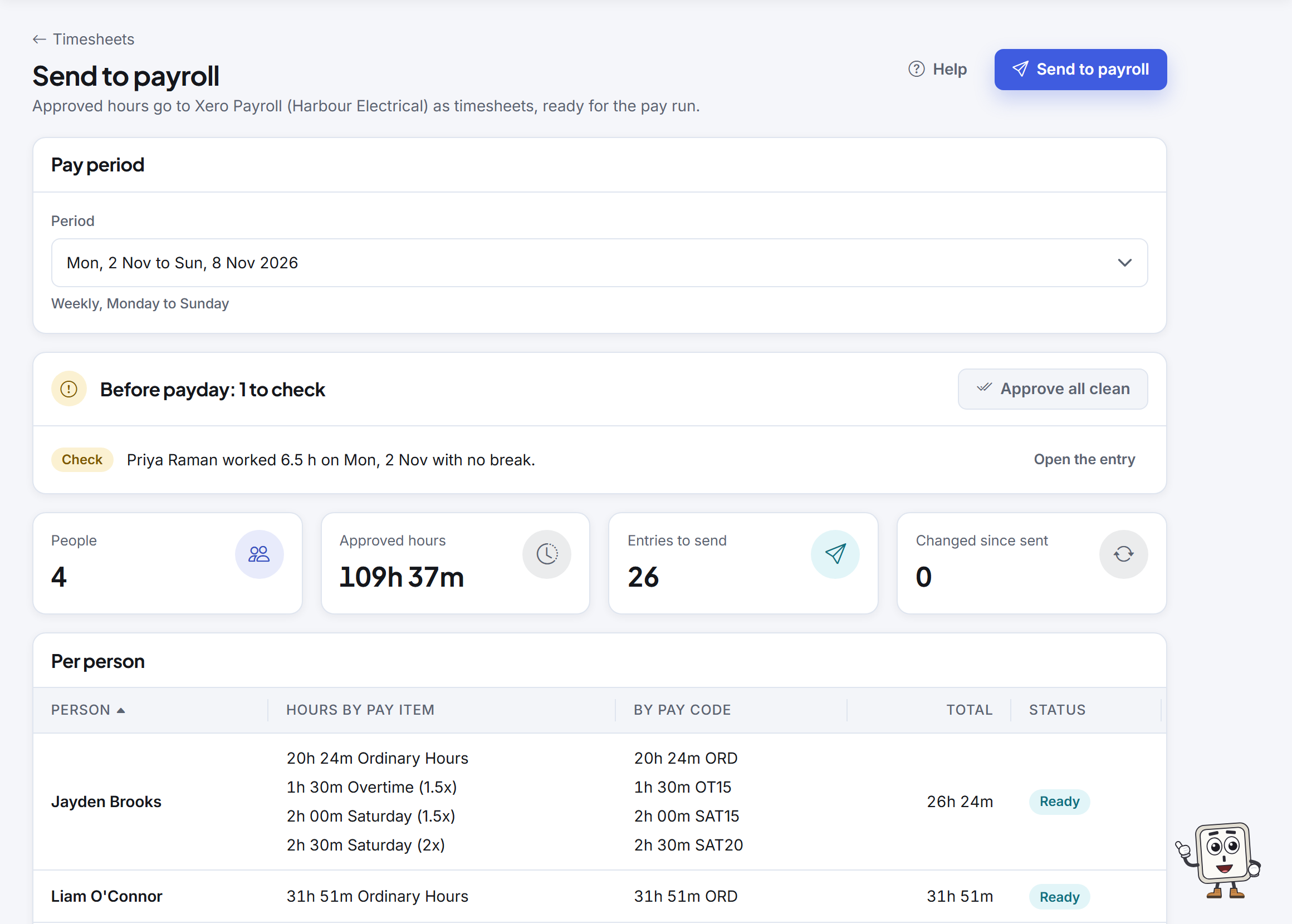
Approved hours go to Xero Payroll or Employment Hero as timesheets, ready for the pay run, so nobody retypes them.
- Hours arrive split into ordinary time, overtime, Saturday, Sunday and public holiday time, by pay rules you set.
- Start the rules from a starting point, then check them against your award or agreement. With Employment Hero you can leave the overtime for it to work out instead.
- Before payday, checks flag anyone still clocked on, a shift with no break or someone not linked to payroll, each with its fix. Approve all clean approves everything with nothing to check.
- Send again after a change and it replaces what went before, never doubles it. In Employment Hero, a week already in a finalised pay run is left alone.
- Pay, tax, super and leave stay with your payroll, which works out the money. Crewzy only sends the hours.
Quotes
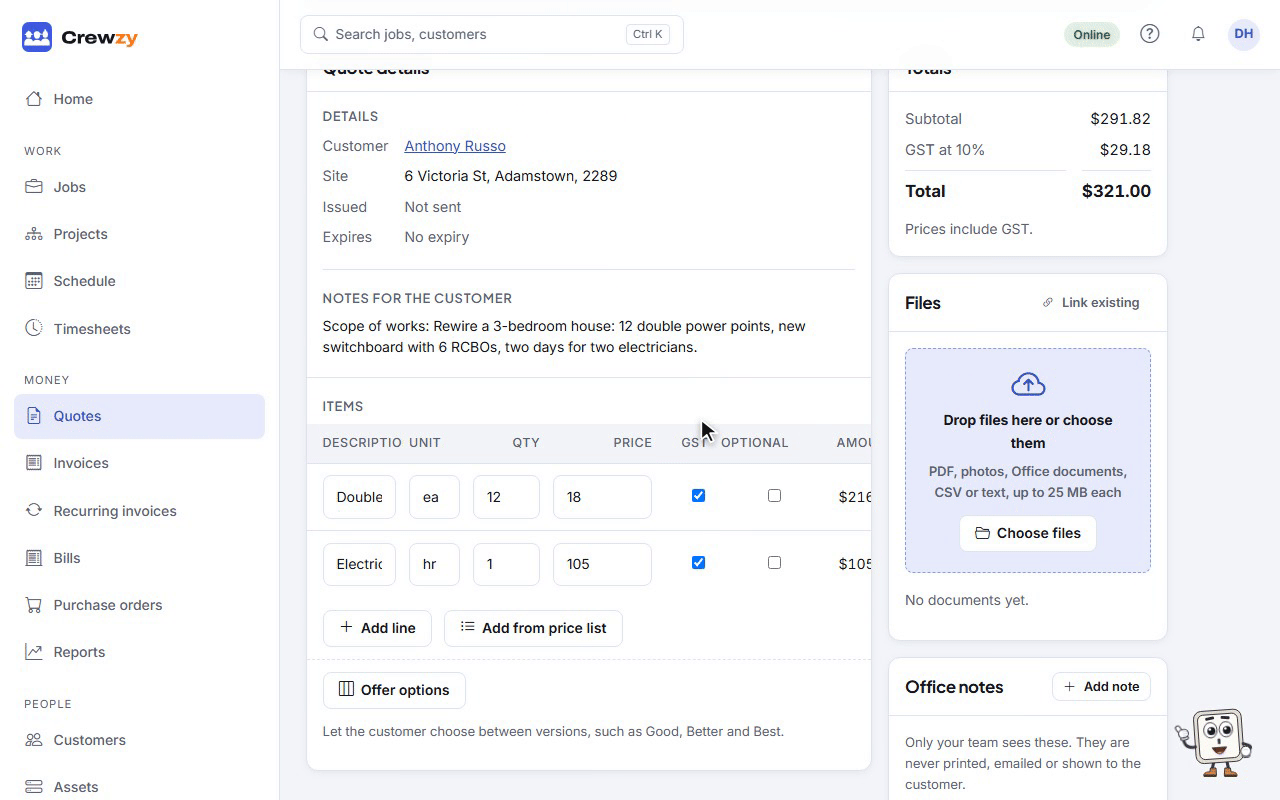
Professional quotes from your price list, accepted online.
- Describe the job or add photos and get a draft quote priced only from your own price list.
- Customers accept online and ask questions on the quote itself.
- Offer Good, Better and Best options and optional extras; the customer picks and the total follows.
- An accepted quote becomes the job, lines and all.
Invoices and getting paid
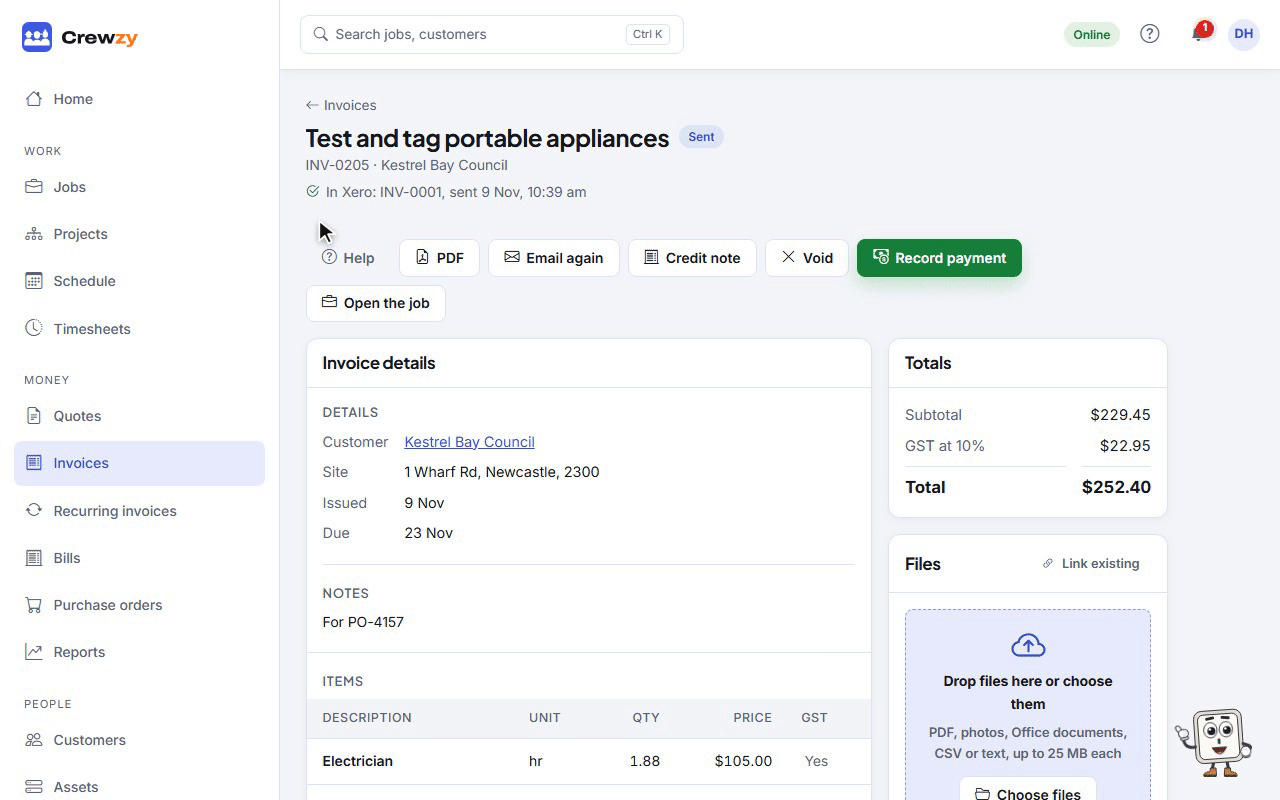
Invoice the job in a click and let customers pay by card from the invoice.
- Labour and parts come across from the job, each person's hours at their own charge rate if you set one.
- Pay online by card, with reminders for anything overdue.
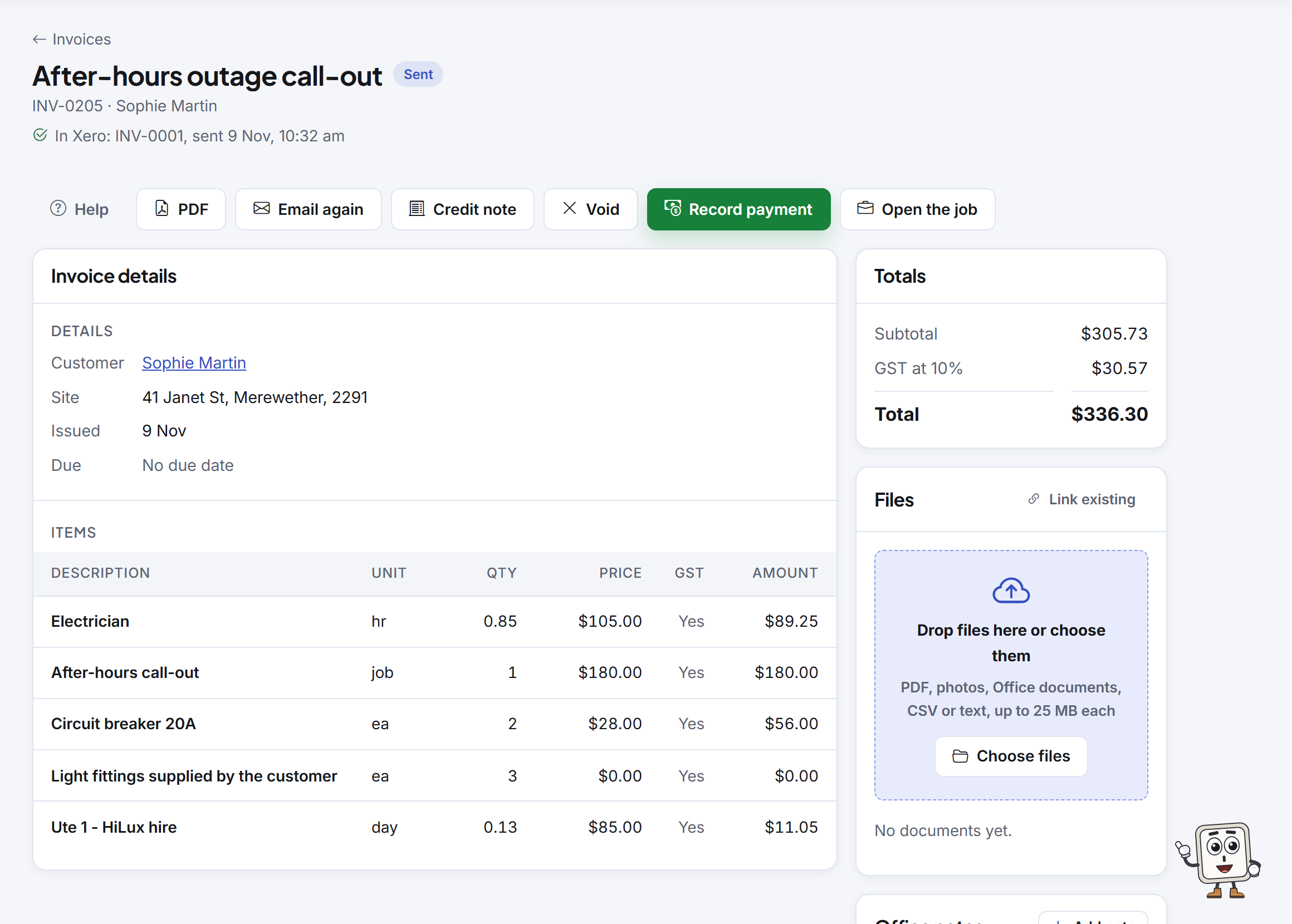
- Each invoice says where it stands with Xero: "In Xero" with its number, once it is there.
- Void, credit notes and part payments, all kept straight.
- Each customer gets their own page of quotes, invoices and bookings, from one link.
Recurring invoices
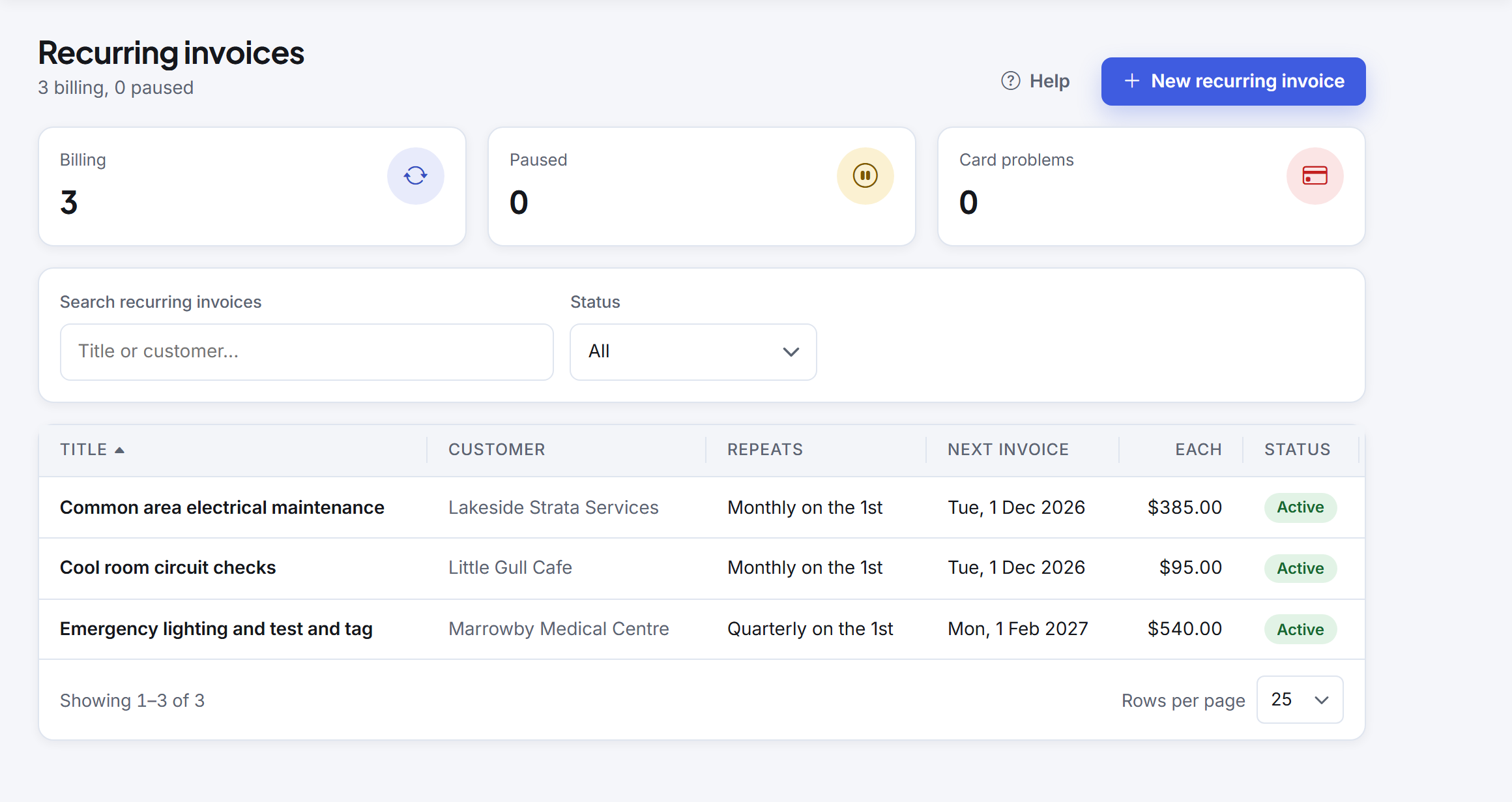
Maintenance contracts and monthly services bill themselves.
- Weekly to yearly, raised on the day at 7am where you are.
- Each invoice is emailed with a link to pay online by card.
- Pause, skip or stop any time.
On the Connected and Unlimited plans
Projects and progress claims
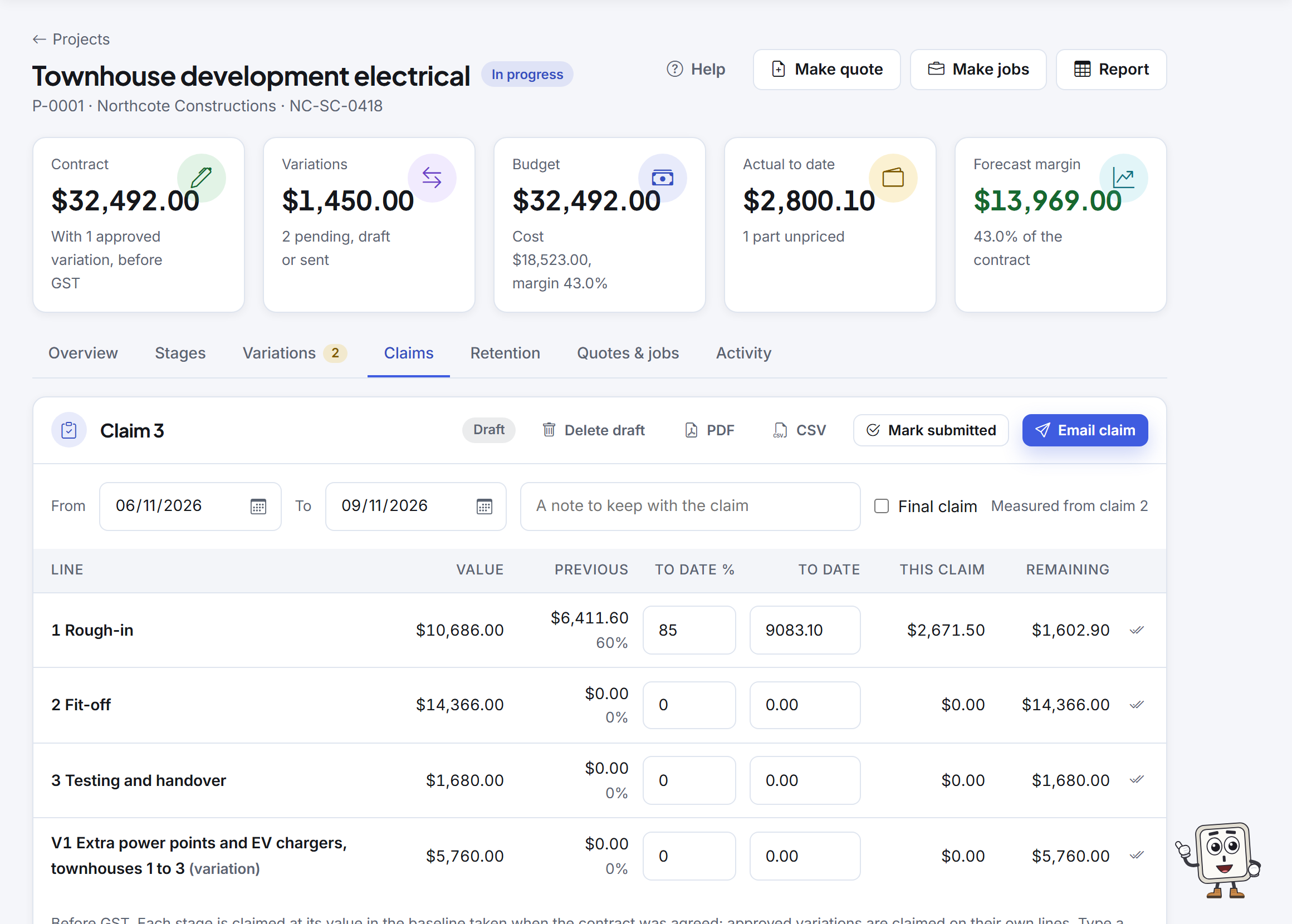
Staged work for subbies and builders: variations, monthly claims, payment schedules and retention.
- Build the project in stages, quote it by stage, and make jobs from the stages.
- Variations priced, signed and kept apart from the contract on each claim.
- Progress claims that print your state's security of payment statement, with retention at your contract's rate and cap, as your tax invoice or under the builder's RCTI.
- The builder's payment schedule recorded against each claim, and a retention ledger with reminders to claim it back.
- A CSV of each claim's lines for a builder's portal.
On the Unlimited plan
Asset register
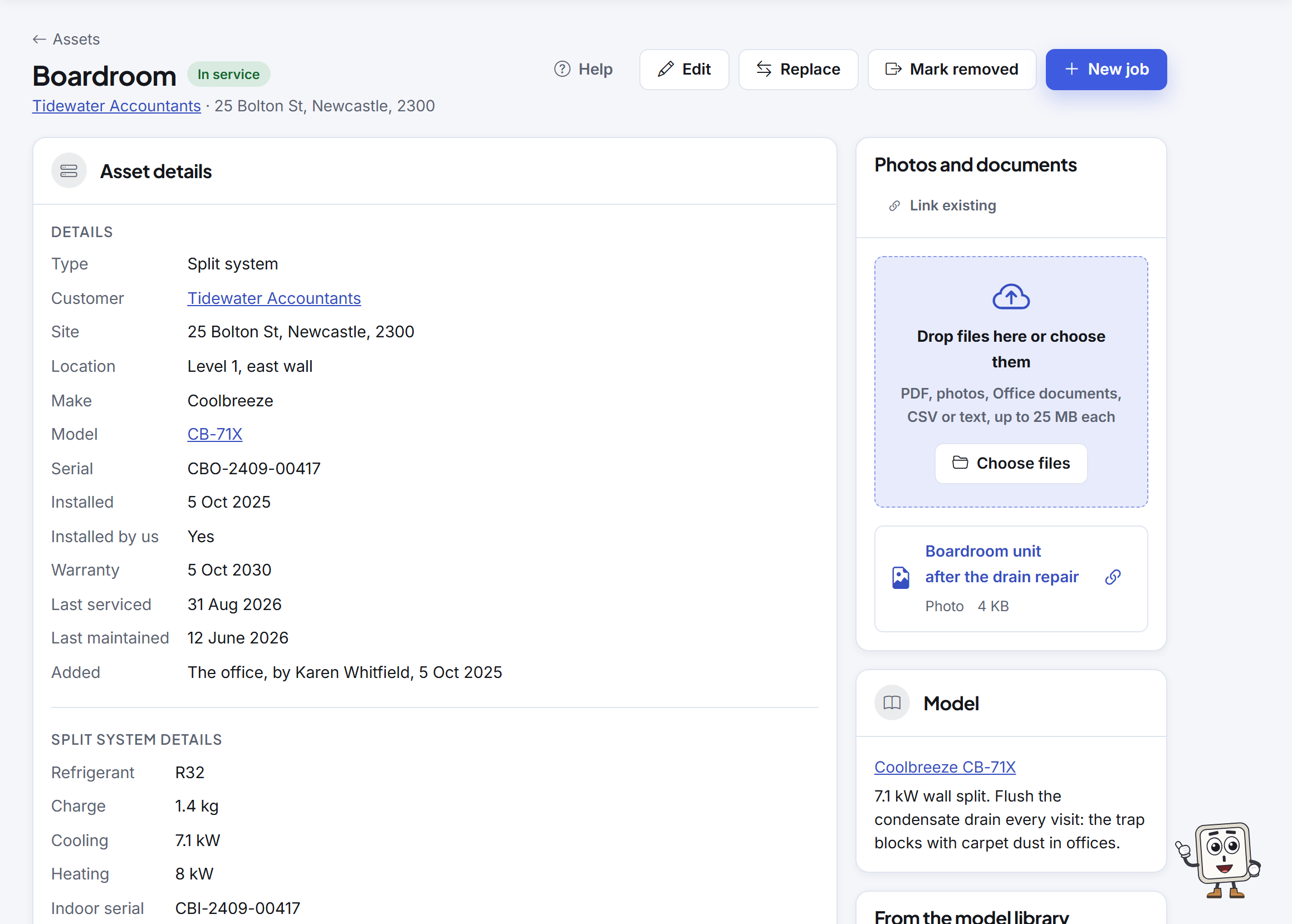
Every unit at every customer's site, with its serials, manuals and the jobs that worked on it.
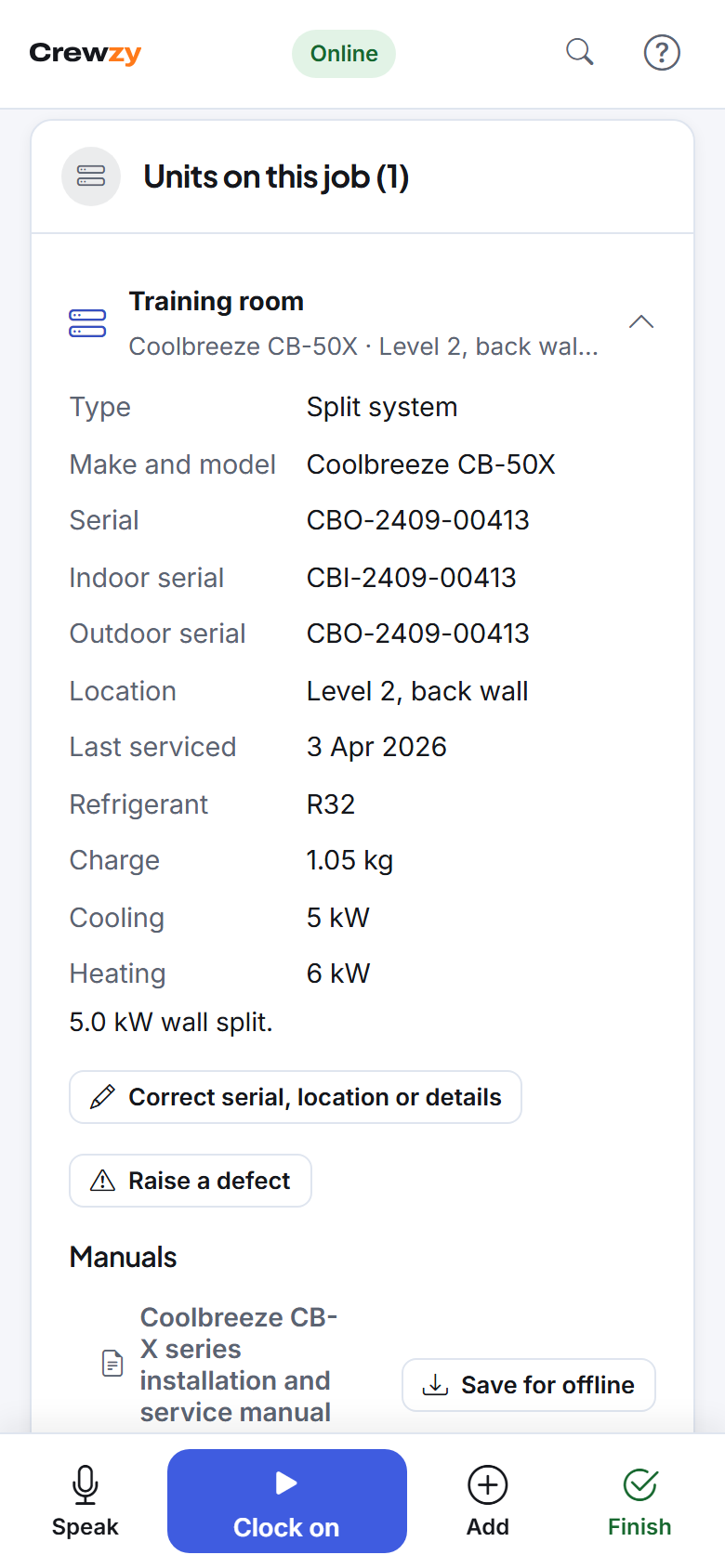
- Split systems, hot water units, switchboards and the rest, each at its site with its make, model, serials and warranty. A split system keeps its indoor and outdoor serials.
- Add a unit by photographing its nameplate: the details are read into the form for you to check.
- Keep each model's manuals once, and the crew have them on the phone for the units on their job, saved for offline.
- Every job that worked on a unit, with what was done, who did it and the parts, and its last serviced date kept up to date.
- The crew see the units on their job and record what they did to each one.
- Service plans that make the runs, results for each unit, defects through to a quote and the fix, labels to print and scan, site reports, site plans and service agreements.
Forms and safety
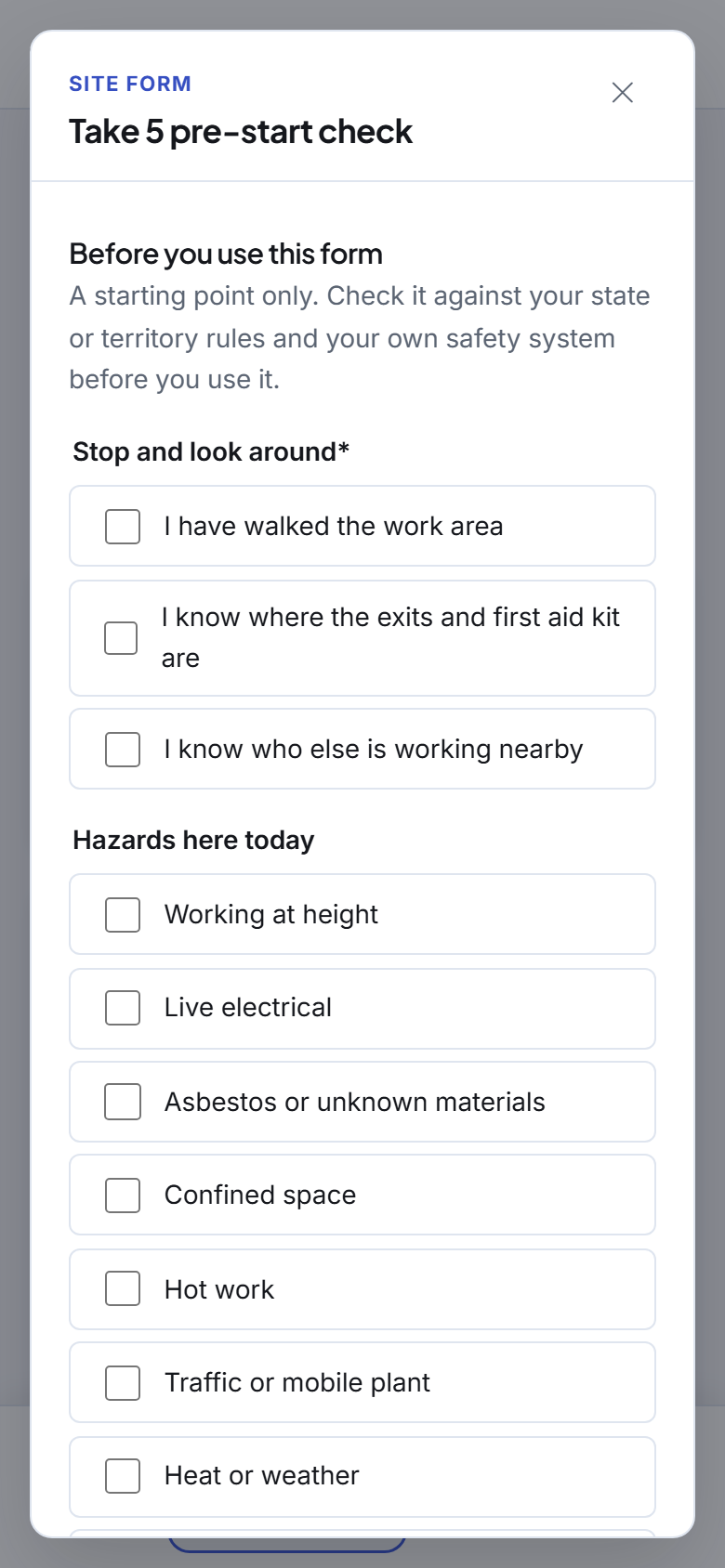
Take 5s, SWMS, test records and sign-offs, filled in on the phone and kept with the job.
- Start from ready-made forms and change them to suit, or build your own.
- Photos, signatures and test result tables, offline too.
- Make a form required before a job can be finished, and send the PDF to the customer.
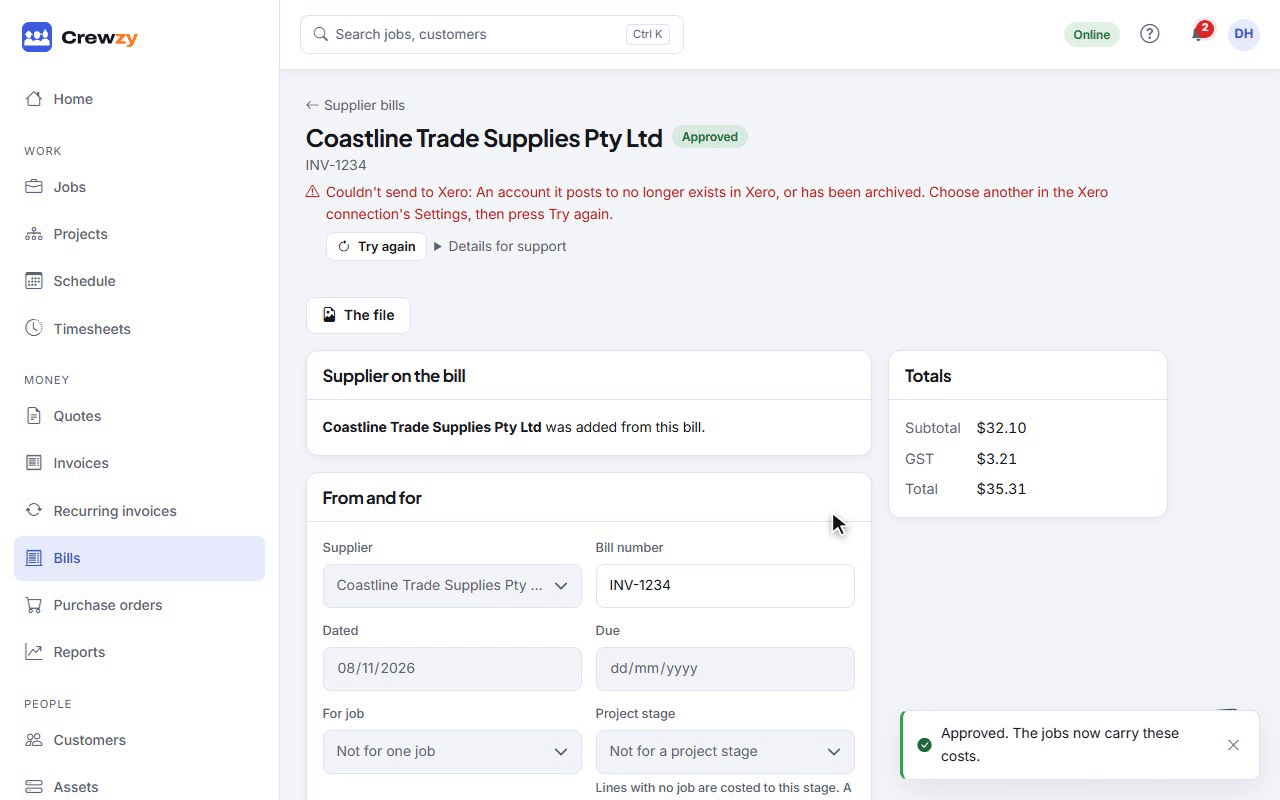
Supplier bills and purchase orders
Real costs on every job, so the profit figure is real too.
- Upload the supplier's PDF, or a photo, and it is read into a draft: the supplier, the bill number and each line, matched to your price list.
- A supplier you haven't added yet is offered with the details printed on the bill, added in two presses.
- Once you approve it, the costs land on the job and the bill goes to Xero to pay.
- Raise purchase orders against a job and receive goods against them.
- The crew can snap a docket on site; they never see costs.
Reports and your Home page
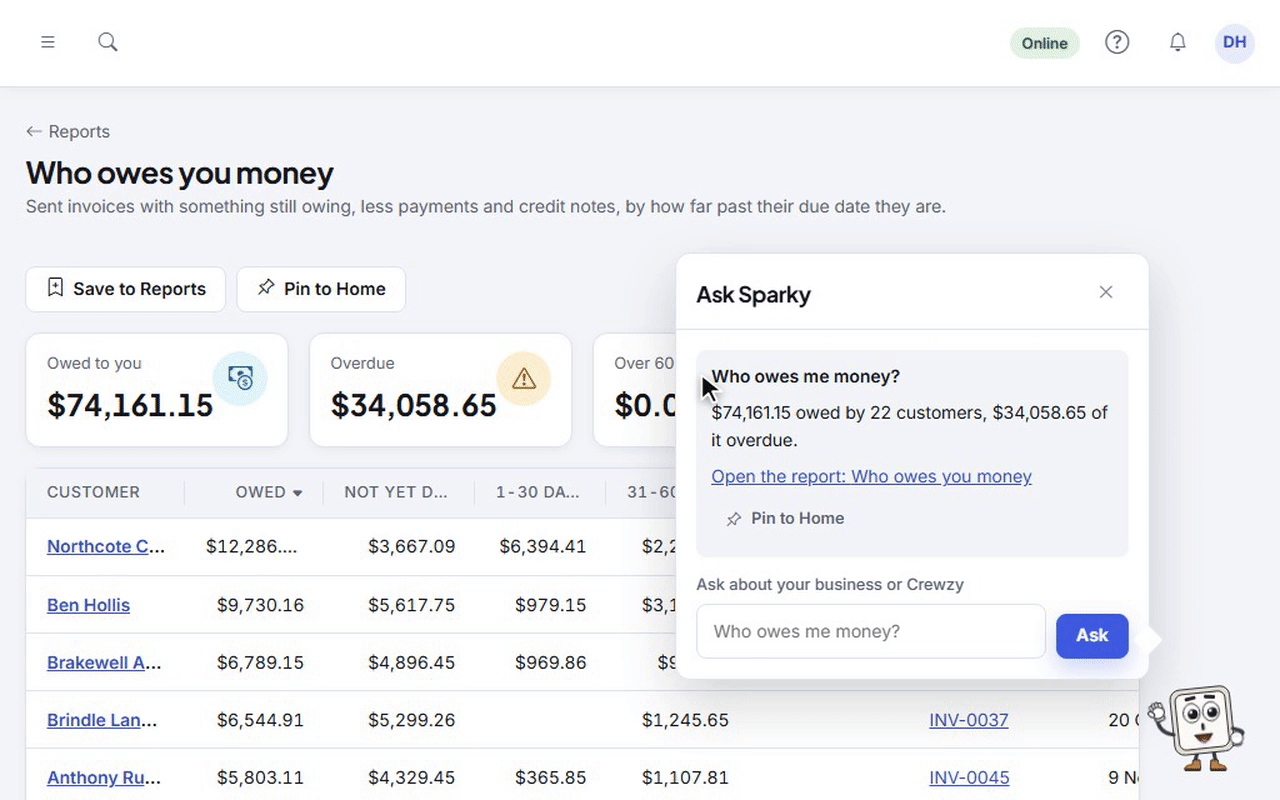
What's owed, what's booked and what each job made, on one page you arrange yourself.
- Profit by job, with anything unpriced flagged so the numbers are honest.
- Ask for a report in plain words and pin it to Home.
- Who owes you, oldest first, with the reminder a click away.
Xero
Invoices, payments, credit notes, supplier bills and contacts go to Xero by themselves.
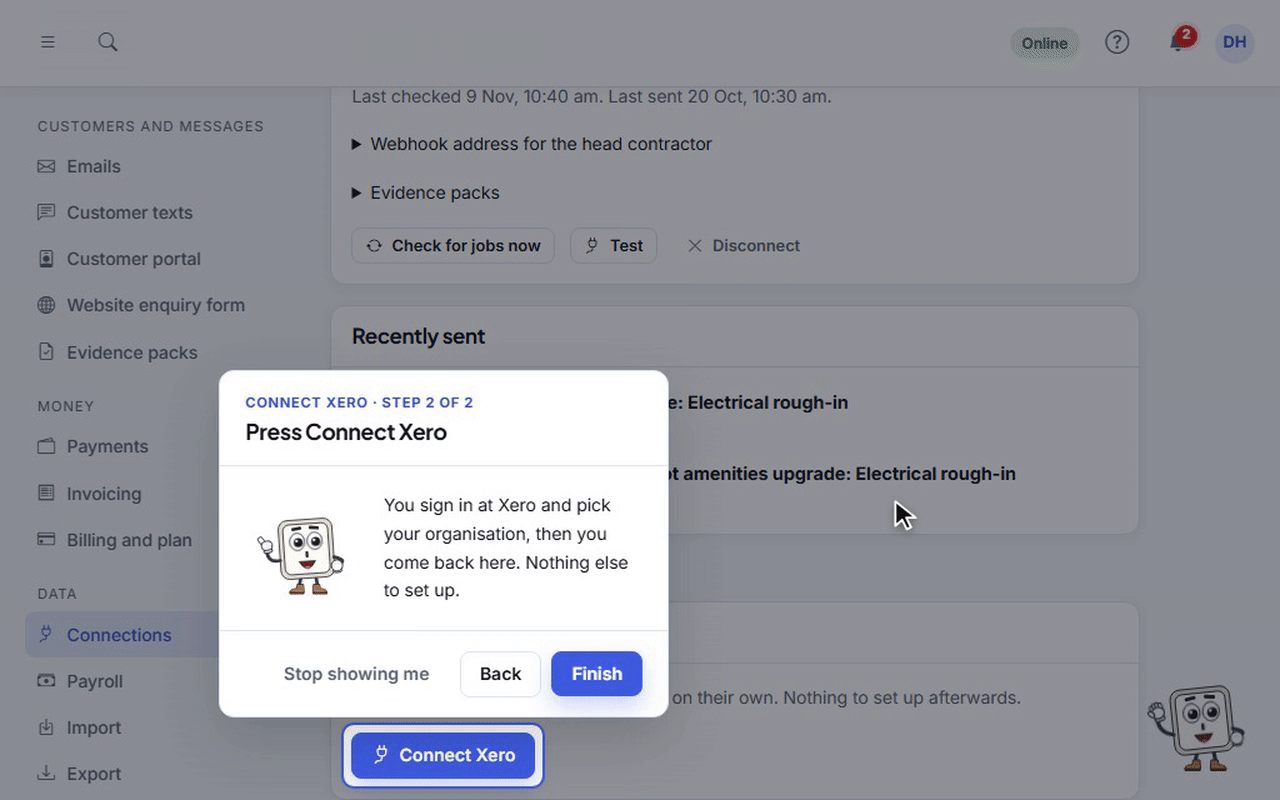
- Connect Xero in a couple of clicks, and bring your customers across once.
- Payments go both ways: one reconciled in your books comes back by itself.
- A new customer or supplier is added to your books with their first invoice or bill, matched to a contact already there.
- Every invoice, credit note and supplier bill says where it stands, and anything that could not go waits with the reason and a button to try again.
Customer texts
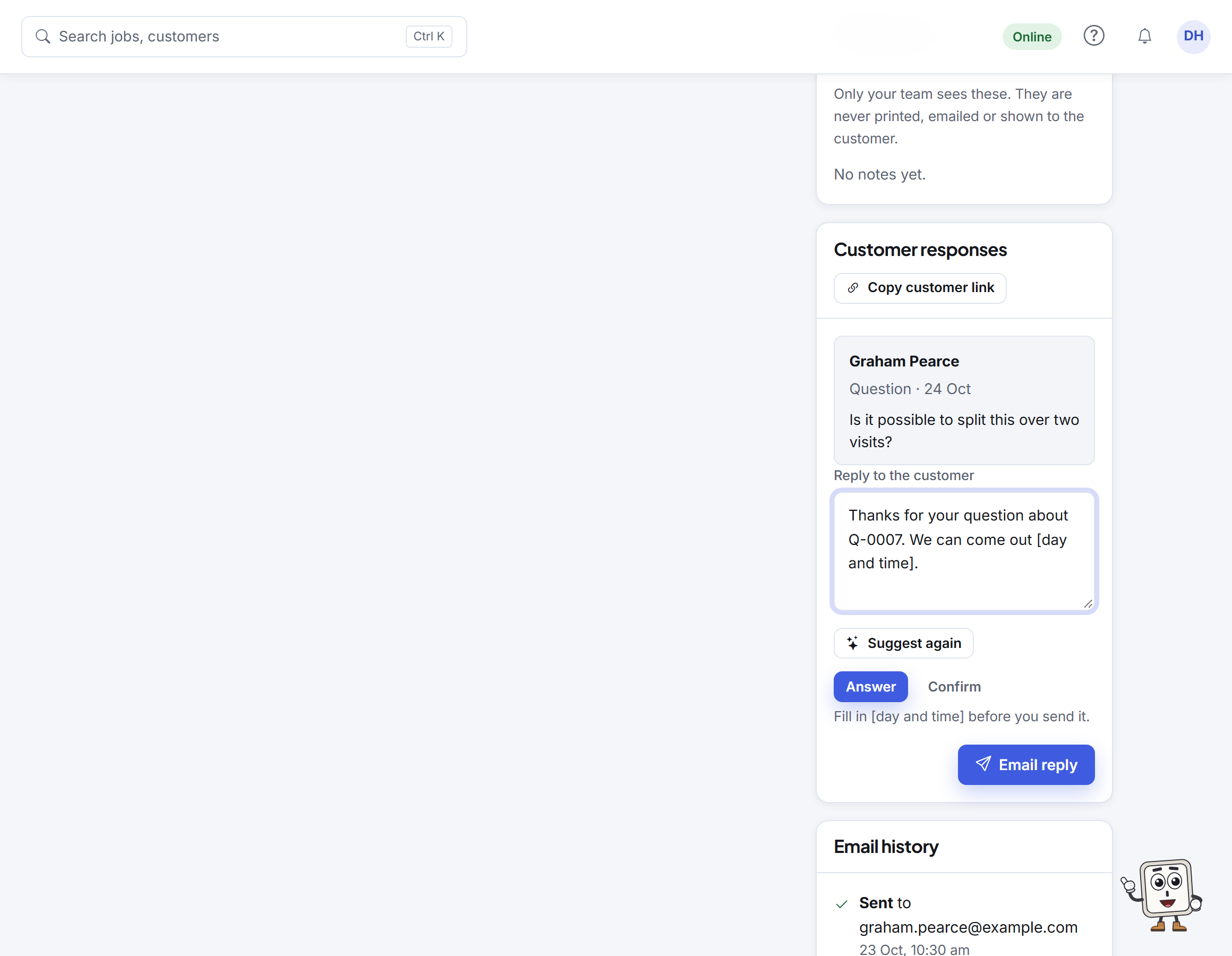
Booking reminders by SMS, with customers' replies kept on the job.
- Customers reply to a text and it shows on the job as a conversation.
- Suggest a reply drafts an answer from the job for you to send.
- Opt-outs are honoured automatically.
- Each plan includes text parts every month; past them each part is a few cents, up to a monthly limit you set.
The assistant
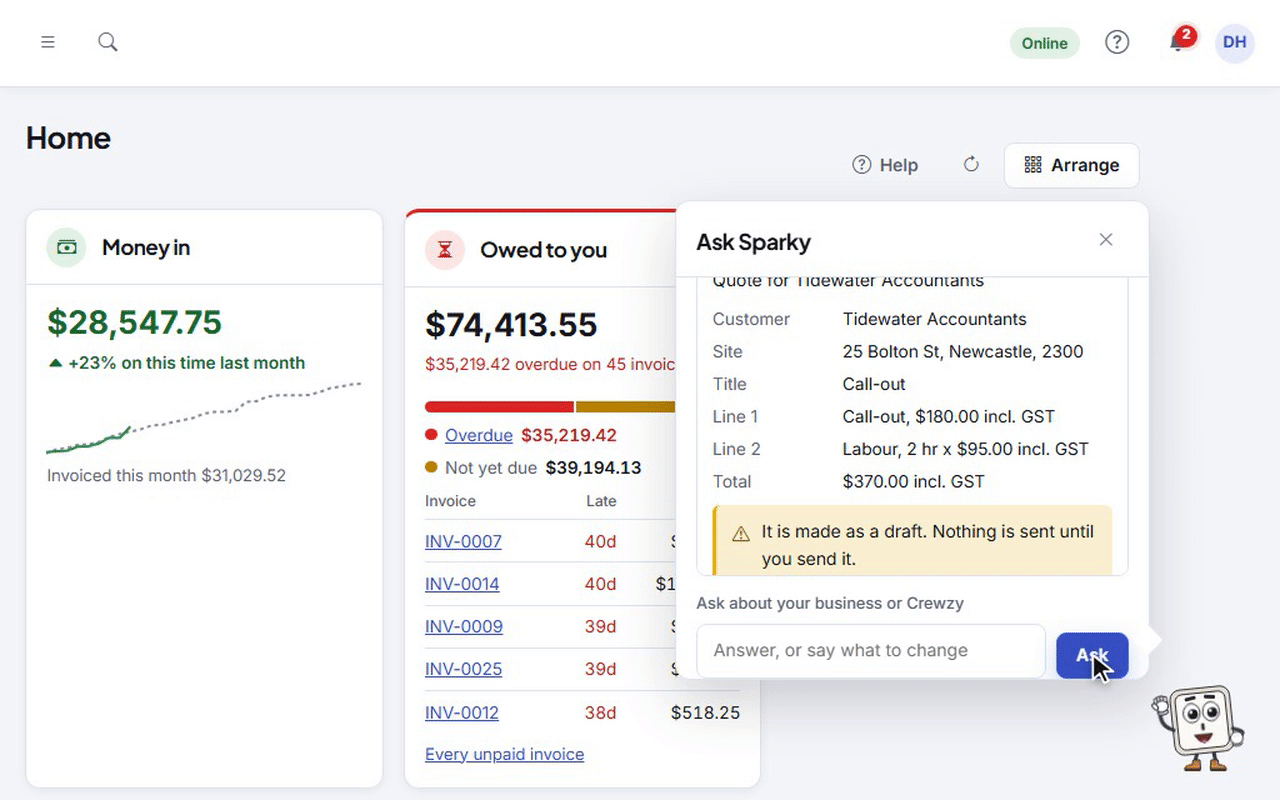
Say what you want done, and it does the work once you press Confirm.
- Quotes, invoices, jobs, bookings, time and payments: it sets out exactly what it will do on a card, and nothing changes until you confirm it.
- Bigger things, like a long quote from your price list, a credit note or a recurring invoice, it builds a question or two at a time, with what it still needs on the card.
- Show me walks you to the right button for the rest, such as connecting Xero or voiding an invoice.
- It never sends anything by itself: anything that reaches a customer is a card of its own that says who it goes to.
- Answers from your records with links to the real jobs, invoices and customers.
- Money found: ask what you haven't billed and it lists finished jobs with no invoice, hours and parts left off an invoice and project work since your last claim, each with what it is worth at your prices. You choose what to bill.
Built for your trade
Give it a go on your next job
30 days free with everything included. Up to 20 active crew a month are included on every plan.
Free 30-minute setup call, and we'll bring your data across from Tradify, Fergus, ServiceM8 or a spreadsheet.